Your flying life,
logged beautifully.

A private logbook for every flight you’ve ever taken — lifetime stats, a 3D route globe and yearly status, all on your phone.

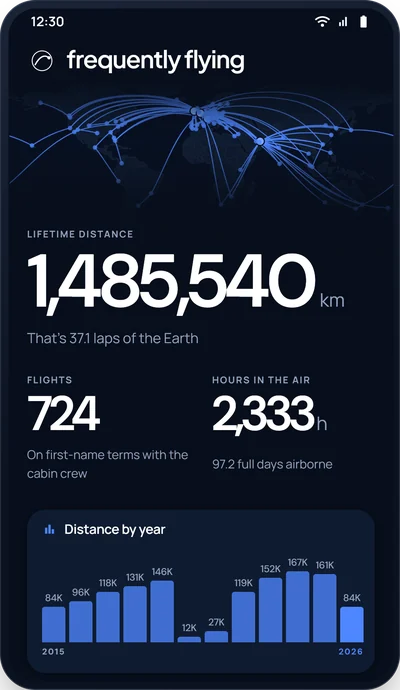
The frequently flying home dashboard: a world map of routes, lifetime distance of 853,649 km, flights and hours flown, a per-year distance chart and a status card.
Every flight you’ve ever taken Lifetime stats, sliced every way 3D route globe Yours & private, backed up to your account

Every flight,
sliced every way.

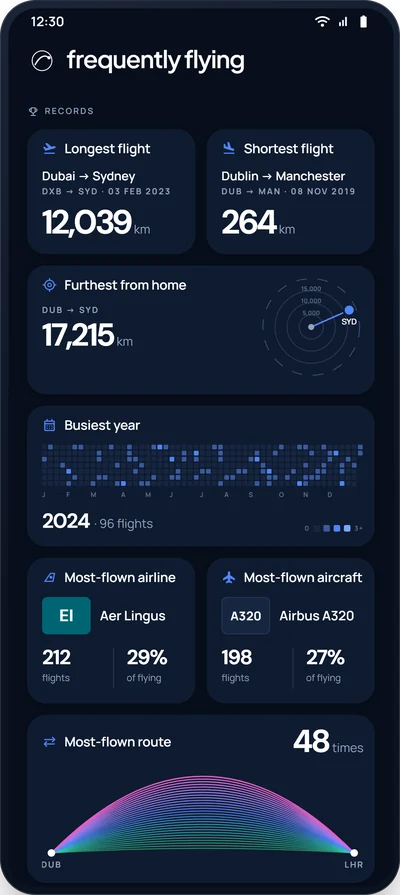
Total distance and hours, your top airlines, aircraft, airports and routes, plus cabin, seat and purpose breakdowns — the whole picture of how you fly, updated the moment you add a flight.

The home stats screen: yearly distance chart, longest-flight records, and seat, cabin and purpose breakdowns

Every route you’ve ever flown, on a 3D globe.

Spin the planet and watch your great-circle routes arc across it. Flip to a flat 2D map, a heat view or day-and-night — then scrub through the years and watch your map fill in.

A 3D globe covered in glowing great-circle flight routes

Yearly status tiers, from Bronze to Diamond.

Every January is a fresh season. Rack up distance to climb from Bronze through Silver, Gold and Platinum to Diamond — then do it all again next year. Dozens of one-off awards wait to be unlocked along the way.

The Bronze season card — 28,169 km flown in 2020 The Platinum season card — 247,339 km flown in 2023 The Gold season card — 103,103 km flown in 2019
  • BronzeSeason start
  • SilverClimbing
  • GoldFrequent
  • PlatinumSerious miles
  • DiamondTop tier

Date first, route next — or scan a boarding pass.

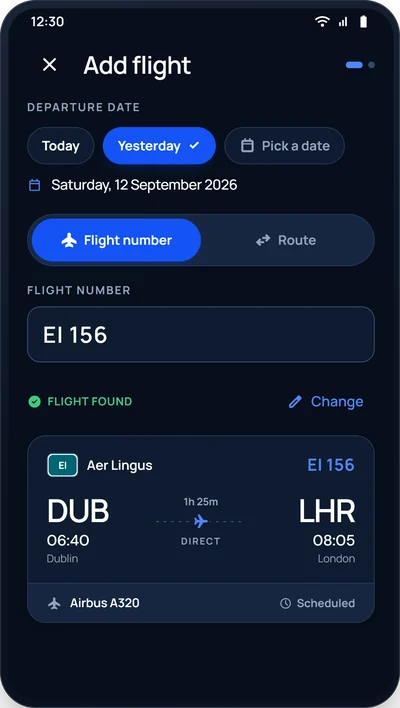
Adding a flight is quick by design: pick a date, choose your route, done. In a hurry? Scan a boarding pass or wallet screenshot and let the app fill in the rest.

The Add flight screen: flight EI156 found — Aer Lingus DUB to LHR, direct, Airbus A320 NEO

Import your flights in one step.

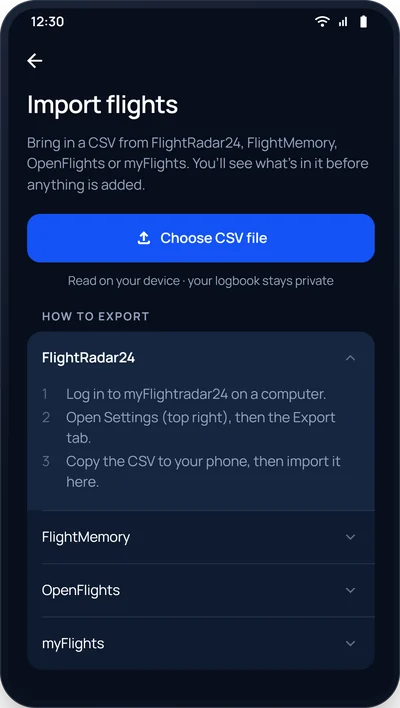
Already track your trips elsewhere? Drop in a CSV from FlightMemory, FlightRadar24 or OpenFlights and your whole history lands in seconds. Files are read on your device, and duplicates are skipped automatically.

The Import flights screen with a Choose CSV file button and how-to guides for FlightMemory, FlightRadar24 and OpenFlights

Dark or light, it’s your logbook.

A calm dark theme for the red-eyes, a crisp light one for daytime — or let it follow your phone. Distances in kilometres or miles, entirely your call.

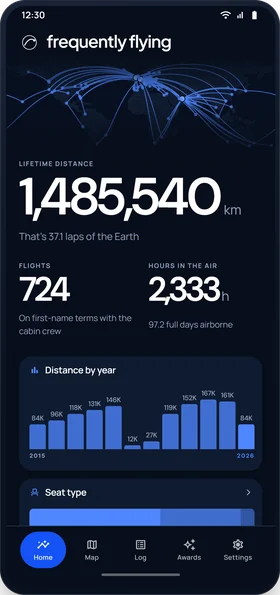
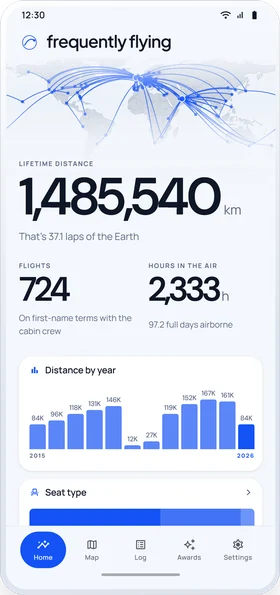
The home dashboard split down the middle: dark Abyss theme on the left, light Daylight theme on the right
Dark — AbyssLight — Daylight
Private by design — your logbook, no one else’s Imports are read on your device Backed up privately to your account

Your flights. Your phone.
Your whole flying life.

Free on Android. Log every flight, watch your world fill in, and climb the tiers year after year.

Get it onGoogle Play